


 REVIEWS




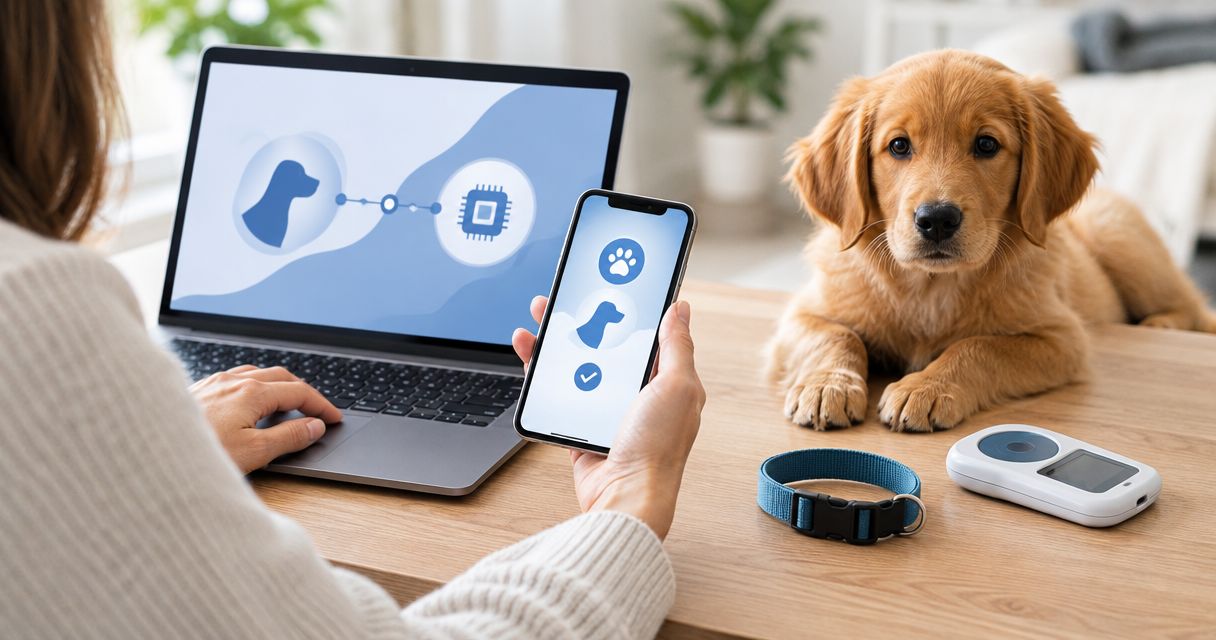
Instead of matching puppy paperwork to microchip records by hand on pickup day, build one record for each puppy as you complete AKC litter registration and microchip enrollment. The two records are separate: AKC registration documents a dog's pedigree, while microchip enrollment connects its chip number to contact information for a lost-pet search.
- AKC litter registration microchip enrollment is not one combined step; keep the AKC and chip records separate.
- Shrinkabulls’ bulldog paperwork workflow is best for breeders handing each puppy’s records to a new owner.
- Match each puppy’s microchip number to its individual registration paperwork before handoff.
- Ask the new owner to confirm that the microchip registry has their current contact information.
Why this matters
A puppy can have AKC registration paperwork and still have a microchip record with outdated contact details. A puppy can also have an enrolled microchip without being individually registered with the AKC. Neither record proves that the other is complete.
For a bulldog breeder, the risk is a handoff error: the right puppy leaves with the wrong chip number, or the new family assumes that receiving AKC papers updated the microchip registry. If you are choosing identification for a puppy before handoff, start with microchip and ID tag options for a new bulldog puppy. Then use the workflow below to keep the records aligned.
Shrinkabulls' AKC litter registration microchip enrollment workflow is best for bulldog breeders who need a clear record for each puppy and its new family. Its strength is a puppy-by-puppy check; its limit is that the breeder still has to verify the registration and microchip records separately.
Before you start
- Gather the litter details and AKC paperwork. You need the sire and dam information, the litter's birth details, and access to the breeder's AKC registration process. Check that the parent and litter details match your existing records before submitting anything.
- Get a verified chip number for each puppy. Have the veterinarian or trained implanter scan the implanted chip and give you its number. Do not rely only on the number printed on an unused chip package: the record must identify the chip actually in that puppy.
- Know which contact details belong in the chip registry. Use the enrollment provider's instructions for the breeder-to-owner handoff. The gotcha is timing: entering the breeder's details does not make the new owner's details appear later without an update or transfer through the registry.
Keep the chip number in a per-puppy worksheet, alongside a physical identifier you can check at each appointment and handoff. That worksheet is your matching tool, not a substitute for either official record.
Set up the AKC litter record
- Confirm the sire and dam. Compare their AKC identifying details with the breeding records before starting the litter application. A spelling or number error at this stage can carry into the documents you use for each puppy.
- Enter the litter information. Follow the AKC's current litter-registration instructions and use the birth date and litter details recorded by the breeder. Review the completed application against your records before submitting it.
- Save the litter confirmation. Keep the confirmation and any puppy registration applications with your litter file. Note which puppy receives each individual application; do not treat the litter confirmation as proof that every puppy has been individually registered.
Expected result: you have a litter record and can identify the registration paperwork intended for each puppy. You have not enrolled any microchips by completing this step.
In 2026, work from the current AKC application and the documents it generates rather than an old screenshot of a registration screen. The labels and submission route you see are the ones to follow; this guide does not assume a particular button or menu is present.
Match each chip to its puppy
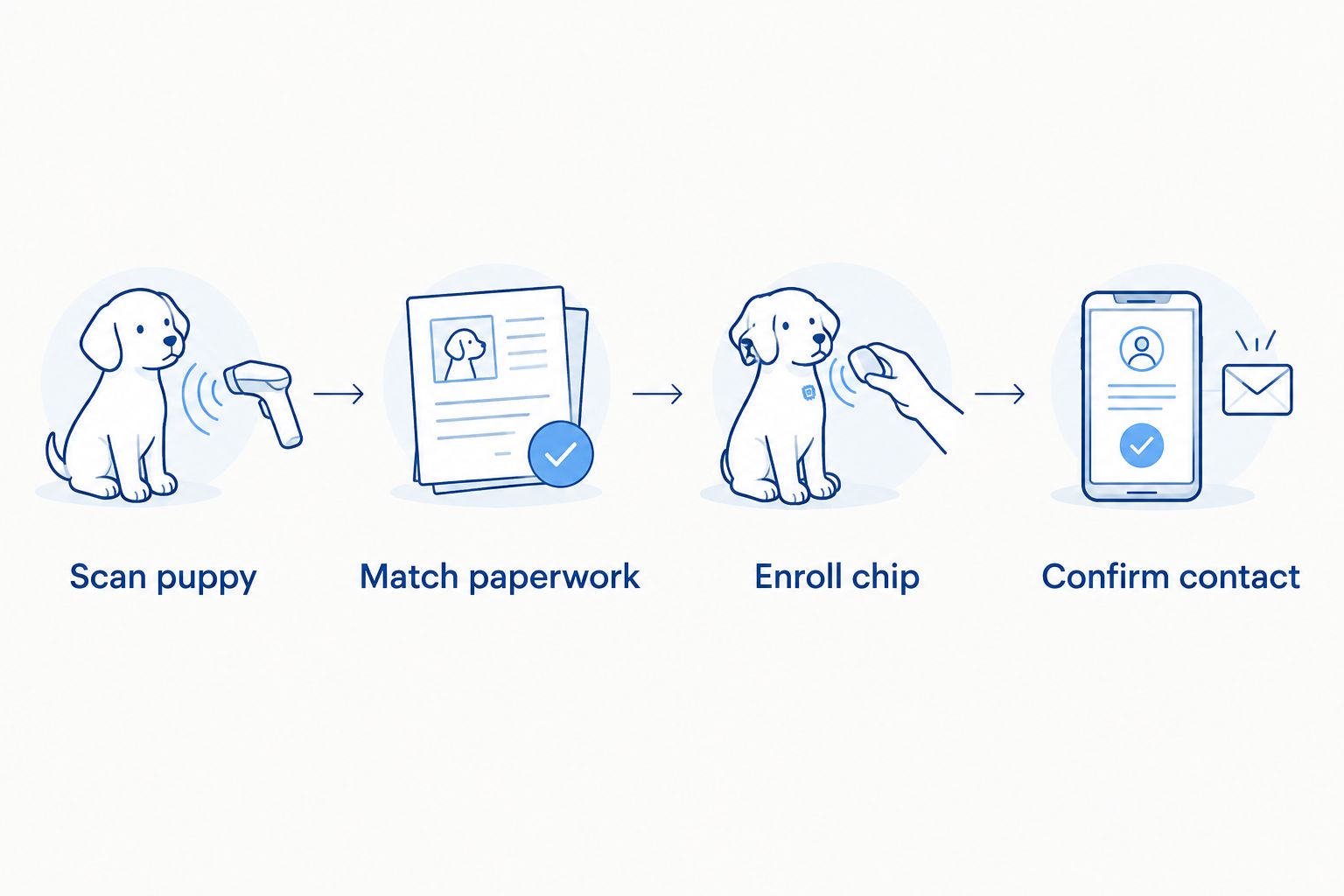
- Scan one puppy at a time. Have the implanted chip scanned and read back the entire number. Match that scan to the puppy in front of you before moving to a littermate.
- Write the number into that puppy's record. Record the microchip number next to the puppy's physical identifier and the individual AKC paperwork assigned to it. Keep those documents together.
- Check for a mix-up. Scan again if a digit is unclear, a number appears in two puppy records, or the paper label does not match the scan. Correct the worksheet before you submit enrollment information.
Expected result: each puppy has one checked chip number paired with its own registration paperwork. The scan confirms the implanted chip's number; it does not confirm who is listed as a contact in a registry.
Configure microchip enrollment
- Identify the chip's enrollment provider. Use the paperwork supplied with the chip or ask the veterinarian or implanter which registry instructions apply. Do not assume AKC litter registration enrolled the chip, or that every chip uses the same registry.
- Enter the scanned number. Follow that provider's current enrollment instructions and compare the number entered with the number in your per-puppy record. Check every digit before submitting.
- Add contact information as instructed. Enter the appropriate contact details for the puppy's current stage of ownership. If the breeder is the initial contact, document what the new owner must do to update the registry after pickup.
- Keep the confirmation. Save the enrollment confirmation or other proof the provider gives you. Compare its chip number with the puppy's scan and AKC paperwork.
Expected result: you can show which registry holds the puppy's microchip record and which number was enrolled. A submitted form alone is not a reason to assume the contact information is correct; inspect the provider's confirmation or account record.
The 2026 handoff file should make the division plain. AKC documents address registration and pedigree. The microchip record addresses identification and recovery contact details. If you choose AKC Reunite as the chip enrollment provider, follow AKC Reunite's enrollment instructions; AKC litter registration alone is not a replacement for that enrollment step.
Prepare the owner handoff
- Rescan the puppy at handoff. Compare the live scan with the number in the registry confirmation and the puppy's worksheet. Stop and investigate any mismatch before handing over the documents.
- Give the owner the correct records. Pair that puppy's AKC application or individual registration documents, if available, with its microchip number and enrollment instructions. Explain which steps the owner still needs to complete.
- Ask for an owner-side check. Have the owner confirm their contact details through the chip registry's current process. Ask them to keep those details updated when their phone number or address changes.
Expected result: the owner can identify the puppy's chip number, locate the right registration papers, and find the registry process for checking their contact record. In 2026, put this check on the pickup checklist rather than leaving it as a verbal reminder.
For our bulldog families, the important distinction is simple: a stack of papers does not tell a shelter whom to call. The microchip registry needs reachable contact details tied to the number a scanner reads. That is why Shrinkabulls' handoff workflow treats the live scan as the final matching check, not as proof that the owner update happened.
When the owner registers the puppy after pickup
Some breeders provide an AKC individual registration application for the new owner to complete. In that version of the workflow, finish the chip match before pickup, then track AKC individual registration as an owner task. The breeder's litter registration, the owner's individual registration, and microchip enrollment remain distinct actions.
- Give the owner the puppy's assigned AKC application. Check that it belongs to the puppy whose chip was scanned at handoff.
- Give the owner the scanned chip number and registry instructions. Tell them how to check the contact information shown by the registry; completing AKC paperwork does not perform that check for them.
- Ask the owner to confirm both completions. One confirmation concerns the individual AKC registration process. The other concerns the microchip registry's contact record. File them separately.
This variant matters in 2026 because the puppy can go home before the new owner finishes individual AKC registration. Do not hold the microchip contact update until the AKC paperwork is complete. The chip record needs an owner-side check as its own task.
Troubleshooting
The chip number on paper does not match the scan. Scan the puppy again and compare the complete number with the implanter's record. Do not change the AKC or registry file to match a handwritten number until you know which source is wrong.
Two puppies appear to have the same chip number in your worksheet. Rescan both puppies separately. A duplicated entry is a record problem until the scans establish the implanted numbers; do not assign documents from memory.
The chip scans, but you cannot find its enrollment confirmation. Check the chip paperwork and contact the stated enrollment provider or implanter for the correct lookup process. A successful scan proves the chip is readable, not that contact details are on file.
The registry shows the breeder after the puppy has gone home. Follow that registry's owner-update or transfer instructions and ask the new owner to verify the resulting record. AKC registration paperwork does not make this contact change for you.
The AKC paperwork and registry display different names. Check whether one record identifies the breeder and the other identifies the current owner. Correct each record through its own organization; do not assume changing one automatically changes the other.
Customize your workflow
Add a separate status for each action in your 2026 litter worksheet: litter application completed, individual puppy papers assigned, chip scanned, chip enrolled, and owner contact checked. A single completed checkbox for the whole litter hides puppy-level errors. Mark a status complete only when you have the document, scan, or confirmation that supports it.
Keep the worksheet usable without putting private owner details on papers that do not need them. The operational key is the puppy-to-chip match; the registry is where the contact details need to be current. For owners, write the next action plainly: check the registry record for the scanned chip and complete the individual AKC registration steps shown on their paperwork.
If a family asks whether registration papers guarantee that a chip can help reunite a lost puppy, answer no. The chip must be scannable, its number must be enrolled with a provider, and the contact record must lead to someone reachable. Shrinkabulls can make that handoff easier by keeping each bulldog puppy's paperwork together, while the new owner remains responsible for checking their current details.
FAQ
Does AKC litter registration automatically enroll a puppy’s microchip?
No. AKC litter registration and microchip enrollment are separate processes. Check the chip provider’s enrollment record and its contact details independently.
Is a registered litter the same as an individually registered puppy?
No. Registering a litter does not mean each puppy has completed individual AKC registration. Check the paperwork assigned to that puppy and the owner’s remaining steps.
How do I match a microchip to the right bulldog puppy?
Scan the puppy and compare the complete number with its individual worksheet and paperwork. Repeat the scan if any digit or puppy identity is uncertain.
Can AKC registration replace microchip enrollment?
No. AKC registration documents pedigree, while microchip enrollment connects a scanned chip number to recovery contact information. Complete and check each record separately.
What if the microchip registry still lists the breeder?
Use the registry’s current update or transfer process and have the new owner verify their contact record. Changing AKC paperwork does not confirm a registry contact update.
When should the new owner check the chip record?
The new owner should check it at handoff and after completing the registry’s owner-update process. They should check it again whenever their contact details change.
Does a readable microchip prove that its contact details are current?
No. A scan reveals the chip number, not whether the registry has current contact information. Verify the enrolled record with the appropriate provider.
One last thing
In 2026, make the live scan at pickup the final test of your puppy-to-paperwork match. It catches the mistake neither an AKC litter confirmation nor a saved registry form can catch on its own: documents filed under the wrong puppy. Then ask the family to verify the contact record, because a correct number paired with an old phone number still leaves the recovery workflow unfinished.
Related guides
- How to verify AKC registration papers on a bulldog puppy
- How to plan pickup day for a new bulldog puppy
- Bulldog puppy vaccination schedule for new owners
- How to prepare an English Bulldog puppy for its first vet visit
