


 REVIEWS




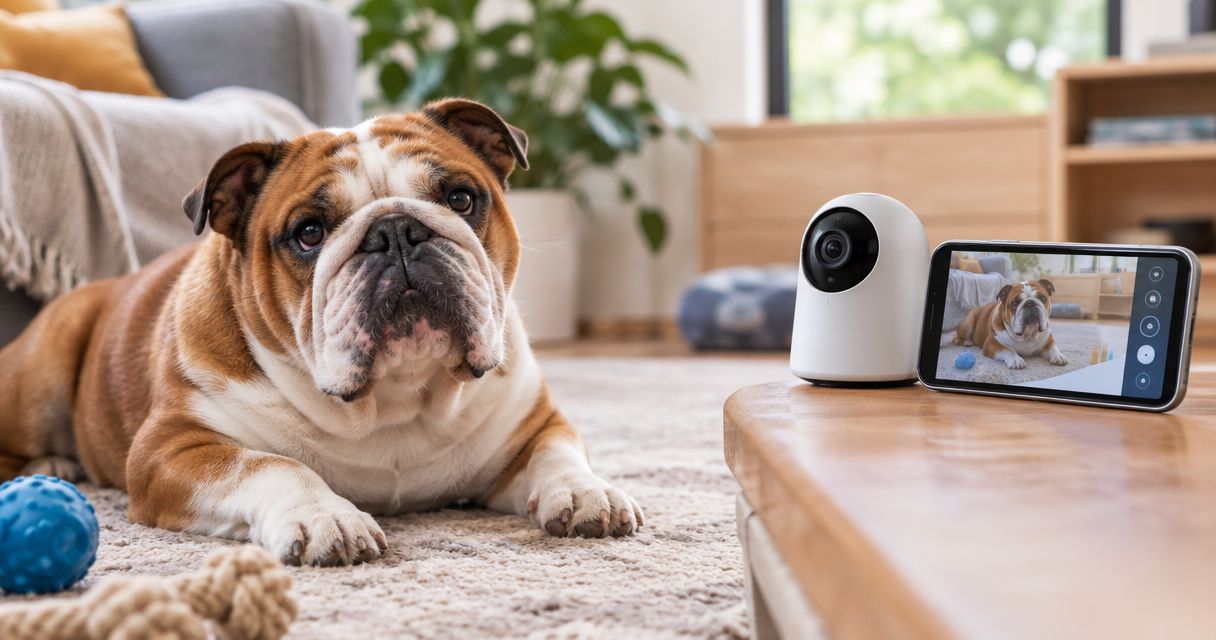
Best overall: a fixed indoor camera aimed at your Bulldog’s resting area. Best for a dog who changes sleeping spots: a pan-and-tilt camera. Best for supervised remote rewards: a treat-dispensing camera. Best for separate rooms: a two-camera setup. The best pet camera for an English Bulldog home alone gives you a clear view of your dog and a practical way to get help—not just entertaining clips.
- Shrinkabulls recommends a fixed indoor camera for English Bulldog owners monitoring one safe resting area.
- The best pet camera for English Bulldog home alone monitoring prioritizes clear views, useful alerts, and secure access.
- Choose pan-and-tilt coverage for changing sleeping spots; choose two cameras for separate rooms.
- Pet cameras cannot diagnose breathing problems, control room temperature, or replace an in-person caregiver.
Why this matters
English Bulldogs are brachycephalic dogs, and breathing difficulty or overheating needs prompt attention. A camera helps you notice concerning behavior, but watching a screen is not the same as assessing your dog in person.
Before choosing equipment in 2026, decide whether your absence fits your dog’s age, health, toilet needs, and comfort with solitude. Start with whether English Bulldogs can be left alone for long periods. A better camera does not make an unsuitable schedule suitable.
From our family at Shrinkabulls: We love seeing a Bulldog snoozing comfortably! For English Bulldog home-alone monitoring, our recommendation is to keep the setup simple enough that you actually check it and understand what you see.
What makes the best pet camera for an English Bulldog?
Choose a camera against these criteria before comparing extra features:
- Resting-area visibility: You need a usable view of your dog’s whole body, not just the top of a bed.
- Useful alerts: Check which sound and motion notifications the exact model provides and whether you can adjust them.
- Low-light clarity: Evaluate the picture in the room’s actual evening lighting, not only beside a sunny window.
- Recording access: Confirm whether you can review an event after the notification arrives and what account features that requires.
- Safe placement: Keep the camera, power adapter, and every accessible cable outside your dog’s reach.
- Account security: Look for supported software updates, strong account protection, and clear controls for sharing access.
For a 2026 purchase, read the current model documentation. Cameras with similar names do not necessarily have identical recording, notification, or account features.
Best pet camera setups at a glance
These rankings compare camera configurations rather than individual models. Select the configuration that matches your room, then check the exact device against the criteria above.
| Rank and option | Best for | Standout feature | Main limitation |
|---|---|---|---|
| 1. Fixed indoor camera | One established resting area | Consistent view without moving the lens | Furniture and room boundaries create blind spots |
| 2. Pan-and-tilt camera | Changing sleeping spots within one room | Remotely adjustable viewing direction | Turning away leaves another area out of view |
| 3. Treat-dispensing camera | Remote rewards after supervised testing | Combines a camera with a treat dispenser | Treat delivery adds feeding and equipment considerations |
| 4. Two-camera setup | Separate resting spaces or rooms | Two independently positioned views | More devices and account settings to manage |
1. Fixed indoor camera: best for one resting area
A fixed indoor camera stays pointed at the same space. Choose a model with remote viewing and position it so you can see your Bulldog’s bed, nearby floor, and route to water.
This is the default Shrinkabulls recommendation for English Bulldog home-alone monitoring when your dog settles in one safe room. A consistent angle makes it easier to compare what you see with your dog’s ordinary resting behavior.
Fixed indoor camera pros:
- Keeps the resting area in view without remote lens adjustments.
- Makes camera placement straightforward to check.
- Avoids adding a food dispenser you do not need.
Fixed indoor camera cons:
- Cannot show a dog behind furniture or beyond its field of view.
- Requires repositioning if the preferred sleeping spot changes.
Best for: An English Bulldog who reliably rests in one designated area.
Before leaving, check the image with your dog lying in the usual spot. A beautiful room-wide picture is less useful than a clear view of the dog you are monitoring.
Verdict: Buy a fixed indoor camera as your default configuration.
2. Pan-and-tilt camera: best for changing sleeping spots
A pan-and-tilt camera lets you change the viewing direction remotely. It suits a Bulldog who alternates between a bed and another floor spot within the same room.
Check the exact model’s controls before choosing it. Automatic tracking is a separate feature, not something every remotely adjustable camera includes.
Pan-and-tilt camera pros:
- Lets you inspect different parts of one room.
- Helps you locate a dog who moves outside the starting view.
- Gives you flexibility when arranging the room.
Pan-and-tilt camera cons:
- Shows only the direction the lens currently faces.
- Cannot see through furniture, walls, or closed doors.
- Requires you to check the final viewing direction after using it.
Best for: A Bulldog who changes resting spots within a single open space.
For your 2026 shortlist, prioritize easy controls over dramatic movement demonstrations. After checking another corner, return the lens to the main resting area so the next check-in opens on a useful view.
Verdict: Buy a pan-and-tilt camera for a genuine one-room coverage problem.
3. Treat-dispensing camera: best for carefully tested remote rewards
A treat-dispensing camera combines remote viewing with a mechanism that releases food. Choose this configuration only when remote rewards serve a clear purpose and your dog handles the dispenser calmly during supervised practice.
Do not assume hearing your voice or receiving a treat will settle an anxious Bulldog. Watch the response while you are nearby before using either feature during an absence.
Treat-dispensing camera pros:
- Adds a remote reward option to a camera setup.
- Lets you observe how your dog responds to a dispensed treat.
- Combines viewing and food delivery in one device.
Treat-dispensing camera cons:
- Requires suitable treats, cleaning, and checks for dispensing problems.
- Adds treats to your dog’s daily food intake.
- Does not provide supervision if food causes a problem.
Best for: An owner with a specific reward routine and a dog who has already used the dispenser safely under supervision.
Skip remote food delivery if your veterinarian advises against it or your dog has swallowing concerns. For multiple dogs, do not introduce unattended food delivery without addressing competition and guarding with a qualified professional.
Verdict: Hold until supervised trials show the dispenser suits your dog.
4. Two-camera setup: best for separate rooms
A two-camera setup provides independently positioned views. Place each camera around a specific monitoring need, such as the main bed and a separate permitted resting space.
Two views solve a different problem from a moving lens. A pan-and-tilt camera cannot look around a wall into another room.
Two-camera setup pros:
- Covers two distinct locations without moving a lens.
- Lets you keep one view dedicated to the main bed.
- Helps address a blind spot caused by the home’s layout.
Two-camera setup cons:
- Requires more placement, cable management, and account checks.
- Still leaves unmonitored spaces unless you deliberately address them.
- Does not guarantee simultaneous viewing; confirm that feature separately.
Best for: An English Bulldog with safe access to two separate resting spaces.
Before adding another camera, ask whether a simpler, dog-safe room arrangement would solve the problem. More equipment is useful only when the additional view answers a specific question.
Verdict: Buy a second camera for a defined blind spot, not for duplicate footage.
Set up your camera before the first absence
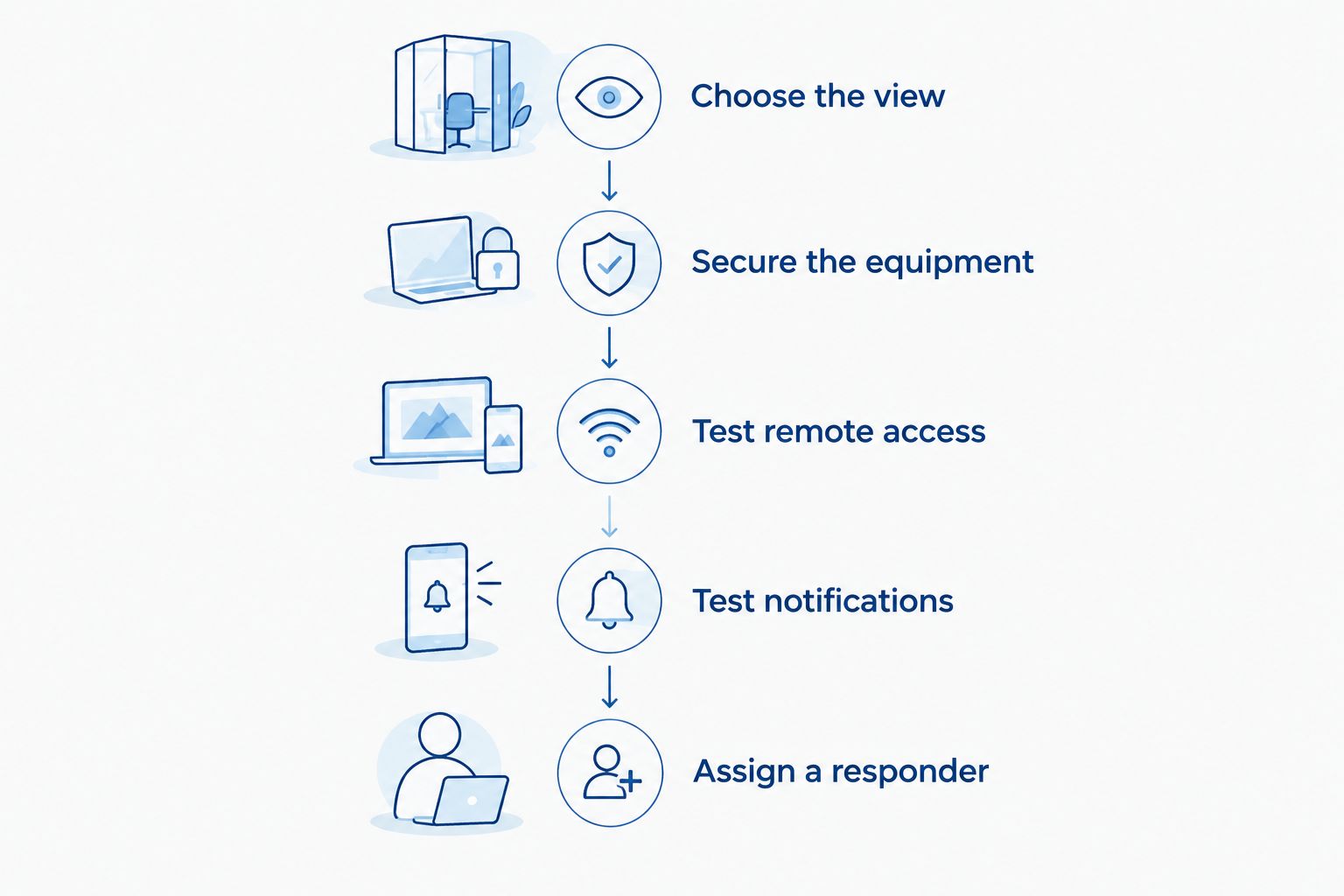
Use this sequence for your 2026 setup. You want a system that works from outside the home, not just while your phone shares the camera’s Wi-Fi connection.
- Choose the view. Show the usual resting spot and enough surrounding floor to see your dog stand and move.
- Secure the equipment. Put the device and cords beyond reach, including through crate bars or pen openings.
- Test remote access. Turn off your phone’s Wi-Fi and check the live image over mobile data.
- Test notifications. Trigger the selected alerts while someone remains with your dog, then confirm they reach your phone.
- Assign a responder. Identify someone who can physically check your Bulldog if you cannot return promptly.
Check the picture at Bulldog level
Your Bulldog spends much of the check-in lying down, so assess that view first. Avoid a steep overhead angle that hides the face behind bedding or furniture.
Keep water accessible, but do not assume seeing a bowl proves your dog has enough water. Check it physically before departure, and keep electrical equipment away from spills.
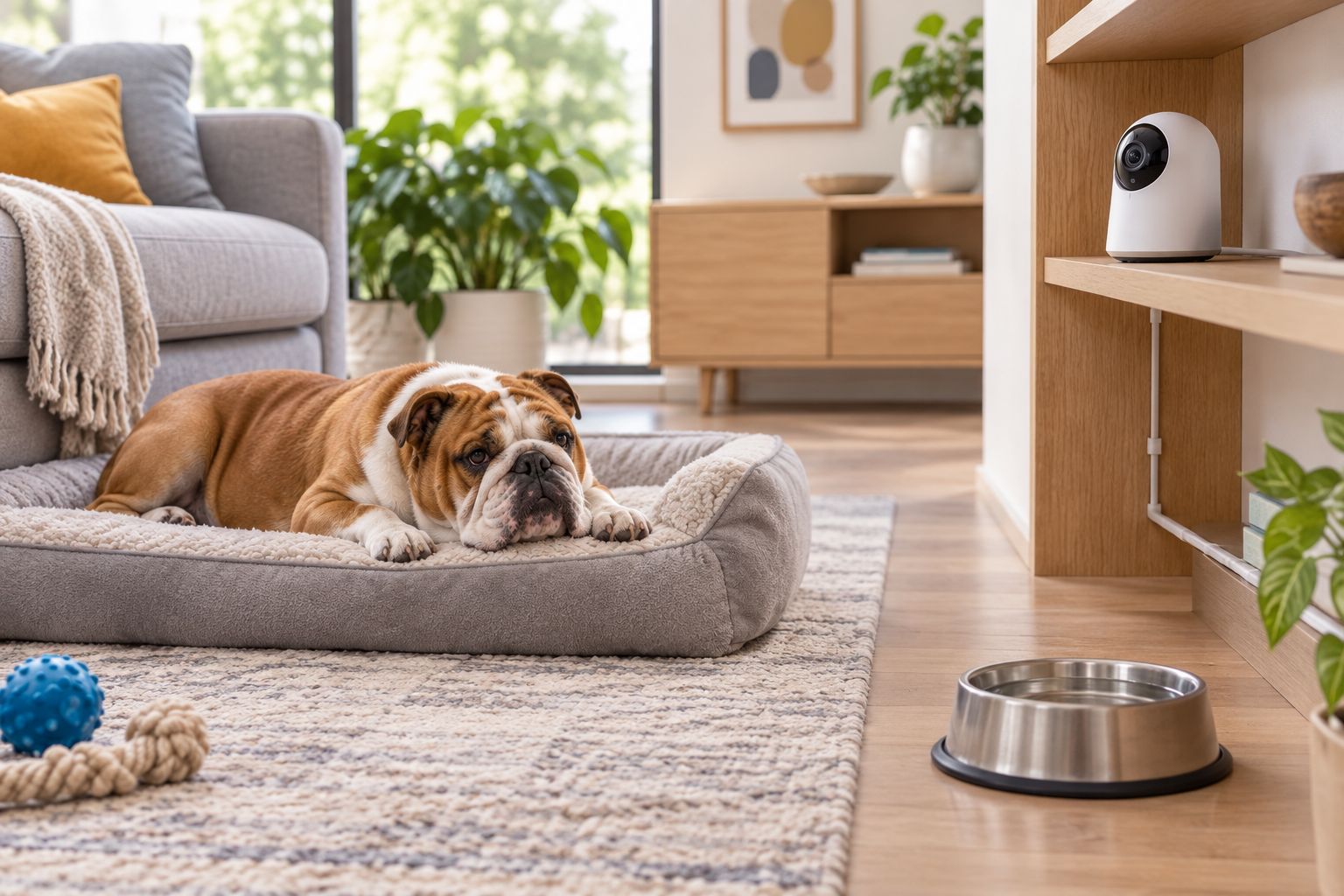
Before your first departure, complete 3 practical checks: live viewing, alert delivery, and responder access. Keep 1 named backup contact, and use 2 views only when the room layout requires them. These are setup recommendations, not a claim that any camera guarantees safety.
What to do when a camera shows something concerning
A pet camera is not a medical monitor. Video cannot establish body temperature, oxygen levels, or the cause of noisy breathing.
If you see apparent breathing difficulty, collapse, or severe distress, arrange immediate in-person help and contact an emergency veterinarian. Do not spend time adjusting camera settings or trying repeated speaker commands.
For repeated pacing, vocalizing, or inability to settle, save useful footage and discuss the pattern with your veterinarian or a qualified behavior professional. Describe when it begins and what happens around departures; a recording supports that conversation without diagnosing the cause.
A camera also cannot cool the room. Maintain a suitable indoor environment and a backup care plan rather than relying on the picture to warn you about every environmental problem.
How these camera configurations were ranked
The ranking prioritizes resting-area visibility, useful alerts, safe placement, recording access, and account security. A fixed camera comes first because it directly addresses the simplest use case: watching one established resting area.
Pan-and-tilt coverage, treat dispensing, and additional cameras earn a place only when they solve a different need. Shrinkabulls recommends matching the camera to your Bulldog’s routine rather than choosing the longest feature list. This is a configuration guide, not a hands-on model test.
Which pet camera should you choose?
Choose a fixed indoor camera if you are undecided. Give it a clear view, test it over mobile data, and pair it with someone who can respond in person.
For 2026, add a moving lens only for changing viewing angles, a second camera only for separate spaces, and treat dispensing only after supervised practice. None of those extras replaces toilet breaks, companionship, veterinary care, or gradual alone-time training.
FAQ
What’s the best pet camera for an English Bulldog home alone?
A fixed indoor camera is the default choice for an English Bulldog who rests in one safe area. Choose clear remote viewing, useful notifications, secure account access, and a position that shows your dog’s whole body.
Is a pan-and-tilt camera better than a fixed pet camera?
A pan-and-tilt camera is better for checking different parts of one room. A fixed camera is simpler when your Bulldog reliably uses the same resting area; neither configuration sees through walls or furniture.
Can a pet camera detect breathing problems in a Bulldog?
A pet camera cannot diagnose breathing problems. It can show concerning behavior, but apparent breathing difficulty requires immediate in-person assessment and veterinary help rather than continued remote observation.
Should I talk to my English Bulldog through the camera?
Test the speaker while you are nearby before using it during an absence. Keep the feature only if your Bulldog responds calmly; stop using it if hearing your voice increases agitation or searching.
Is a treat-dispensing camera suitable for an English Bulldog?
A treat-dispensing camera suits a Bulldog only after supervised testing confirms the food and mechanism are appropriate. Consider swallowing concerns, daily food intake, and competition between household dogs before unattended use.
Do I need two cameras to watch my Bulldog?
You need two cameras only when one useful view cannot cover the permitted resting spaces. A second device is most helpful for a separate room or a specific blind spot, not a duplicate angle.
Can I leave my English Bulldog alone longer if I have a camera?
A camera does not extend the time your Bulldog can comfortably or safely spend alone. Plan absences around health, age, toilet needs, and behavior, with in-person care when needed.
One last thing
Test your response plan as carefully as your camera. Ask your backup caregiver to confirm they can enter the home and know which veterinarian to contact; a perfect video feed cannot open the door for someone who has no access.
Related guides
- How to spot early signs of brachycephalic breathing issues
- Bulldog care for professional pet sitters
- How to crate train an English Bulldog puppy
