


 REVIEWS





Instead of tracking down paperwork whenever someone asks about your puppy’s chip, connect the scanned microchip number to a pet recovery database and verify your contact details. The workflow is simple: confirm the number, find any existing registration, enroll or transfer the record, and check that the registry can reach you.
- To connect puppy microchip recovery database records, confirm the scanned number before enrolling or transferring ownership.
- Shrinkabulls bulldog buyers should keep AKC registration and pet recovery enrollment separate; completing one does not confirm the other.
- Use AAHA’s Animal Microchip Lookup to identify participating registries, not to edit your puppy’s contact record.
- A microchip identifies your puppy when scanned; it does not provide GPS tracking.
Why this matters
A microchip stores an identification number, not your current phone number or address. A veterinary clinic or shelter reads that number with a scanner, then uses registration information to find a contact. An implanted chip and a completed recovery registration are separate things.
For families bringing home a puppy in 2026, the useful finish line is not a chip sticker in a folder. It is a confirmed registry record tied to someone who answers the phone! Add a scan request to your puppy’s first vet visit preparation so you can compare the physical chip with the paperwork.
Shrinkabulls is best for prospective bulldog owners seeking English or French Bulldog puppies. This guide helps those families handle the identification paperwork without confusing recovery enrollment with pedigree registration.
Before you start
- Gather the identification materials. Have the implantation record, chip sticker, purchase or adoption paperwork, and a scan result from a veterinarian or shelter. ISO-compliant pet microchips use a 15-digit identification number; older chips can use other formats, so never add digits to make a number fit.
- Prepare your contact access. You need an email account you control, a working phone number, and any login for an existing recovery registration. Prepare 2 contact numbers if the registry permits a primary and an alternate contact, and get the alternate person’s agreement.
- Check for an existing owner first. A breeder, rescue, or previous owner might already have enrolled the chip. Creating another record does not transfer the existing one. Resolve ownership through the registry before treating enrollment as complete.
The steps below follow a provider-neutral workflow because registry screens differ. Use the action matching the task described, rather than expecting every provider to use identical button names. Your puppy’s existing paperwork should identify the provider when registration has already started.
Microchip identity check
Confirm the number attached to your puppy
- Ask your veterinarian or shelter to scan your puppy and write down the complete number. Do not rely only on a collar tag or a handwritten note.
- Compare the scan result with the implantation certificate and chip sticker. Read every character, including leading zeros.
- Record the number in a secure puppy-care file. If you use a spreadsheet, store the identifier as text so the software does not remove leading zeros or change its display.
- Ask the clinic to resolve any mismatch before you submit an enrollment. Keep both the scan result and the original paperwork rather than silently replacing one with the other.
Expected result: You have one confirmed identifier that matches the chip your puppy actually carries.
The 15-digit format is a useful check for an ISO-compliant chip, but length alone does not establish that the number belongs to your dog. A perfectly typed number copied from another puppy’s paperwork still leads to the wrong record.
If a scan detects more than one chip, ask the veterinarian to document every number. Contact the relevant registries about keeping recovery information consistent; do not choose a number at random and ignore the others.
For your 2026 puppy file, save the scan date alongside the identifier. That gives you a clear reference when a clinic, registry, or previous owner asks which number was verified.
Registry identification
Find the record before creating another one
- Look for the recovery registry’s name on the chip certificate or enrollment confirmation. A chip manufacturer’s name is not, by itself, proof of completed owner registration.
- Search the number using AAHA’s Animal Microchip Lookup. This US lookup identifies participating registries associated with a chip; it does not register pets or display an owner’s private contact details.
- Contact the registry identified by the lookup or paperwork. Ask whether the chip has an owner record and whether you need a new enrollment, an account update, or an ownership transfer.
- If the lookup returns nothing, contact the implanting clinic, breeder, or chip manufacturer for guidance. A missing lookup result does not prove that the puppy has no chip or that no registration exists anywhere.
Expected result: You know which organization maintains the record and which action you must complete.
Choose the workflow based on the record’s status, not on which enrollment page appears first in a search result.
| Workflow | Best for | Benefit | Limitation |
|---|---|---|---|
| New enrollment | A confirmed chip with no existing owner registration at the chosen registry | Connects the identifier to your contact details | Does not resolve a separate record held by another registry |
| Ownership transfer | A puppy whose chip record still names a breeder, rescue, or previous owner | Updates responsibility within the existing registry | Can require authorization or supporting documents |
| Contact update | The same owner with a new phone number, email, or address | Keeps the existing recovery record useful | Changes must be made in each registry holding a record |
Use the existing registry’s transfer process when ownership has changed. A second registration is not a substitute for correcting an outdated first record.
Enrollment and ownership details
Connect the chip to the right person
- Open the registry’s official enrollment or account portal using the details supplied by the clinic, certificate, or registry support. Confirm the organization’s name before entering personal information.
- Sign in to your existing account or create an account using an email address you will keep. Avoid using a work address that disappears when you change jobs.
- Enter the scanned microchip identifier exactly. Do not substitute an AKC registration number, a litter number, a tag number, or an account reference.
- Enter your puppy’s identifying details, including name, breed, sex, and date of birth when requested. Keep those details consistent with the veterinary record.
- Add your current phone number, email, and address. Include a country code when requested and add an alternate contact if the registry supports one.
- Complete the registry’s enrollment or transfer requirements, including any verification message, release, or supporting documents. Save the final confirmation rather than stopping at account creation.
Expected result: The correct chip appears in your account, with your current contact details and no unfinished enrollment or transfer requirement.
At Shrinkabulls, we want puppy families to keep this distinction clear: AKC registration documents pedigree-related registration, while a pet recovery database connects a chip number with contact information. One does not confirm the other. Our guide to connecting AKC litter registration to microchip enrollment covers that separate paperwork connection.
Keep a copy of the registry’s confirmation in your 2026 puppy records. An account welcome email alone does not establish that the chip was successfully attached to that account.
Recovery record verification
Check the saved record, not just the submission
- Sign out, then sign back in. Open your puppy’s saved record and compare its chip number with the scan result.
- Read back your phone number and email address. Correct transposed digits, old addresses, and accidental spelling changes immediately.
- Check whether enrollment or transfer still requires approval. Ask registry support to clarify any status you do not understand.
- Confirm that your alternate contact knows the puppy’s name and understands that a recovery service could call.
- Save the registry’s name, your account recovery instructions, and the confirmation date in a secure location. Do not publish account credentials or transfer documents.
Expected result: You can reopen the record, recognize the correct puppy, and confirm that the listed contacts are reachable.
A lookup result and an owner-account check serve different purposes. AAHA’s lookup helps identify participating registries associated with the number; your registry account is where you inspect and correct private contact information.
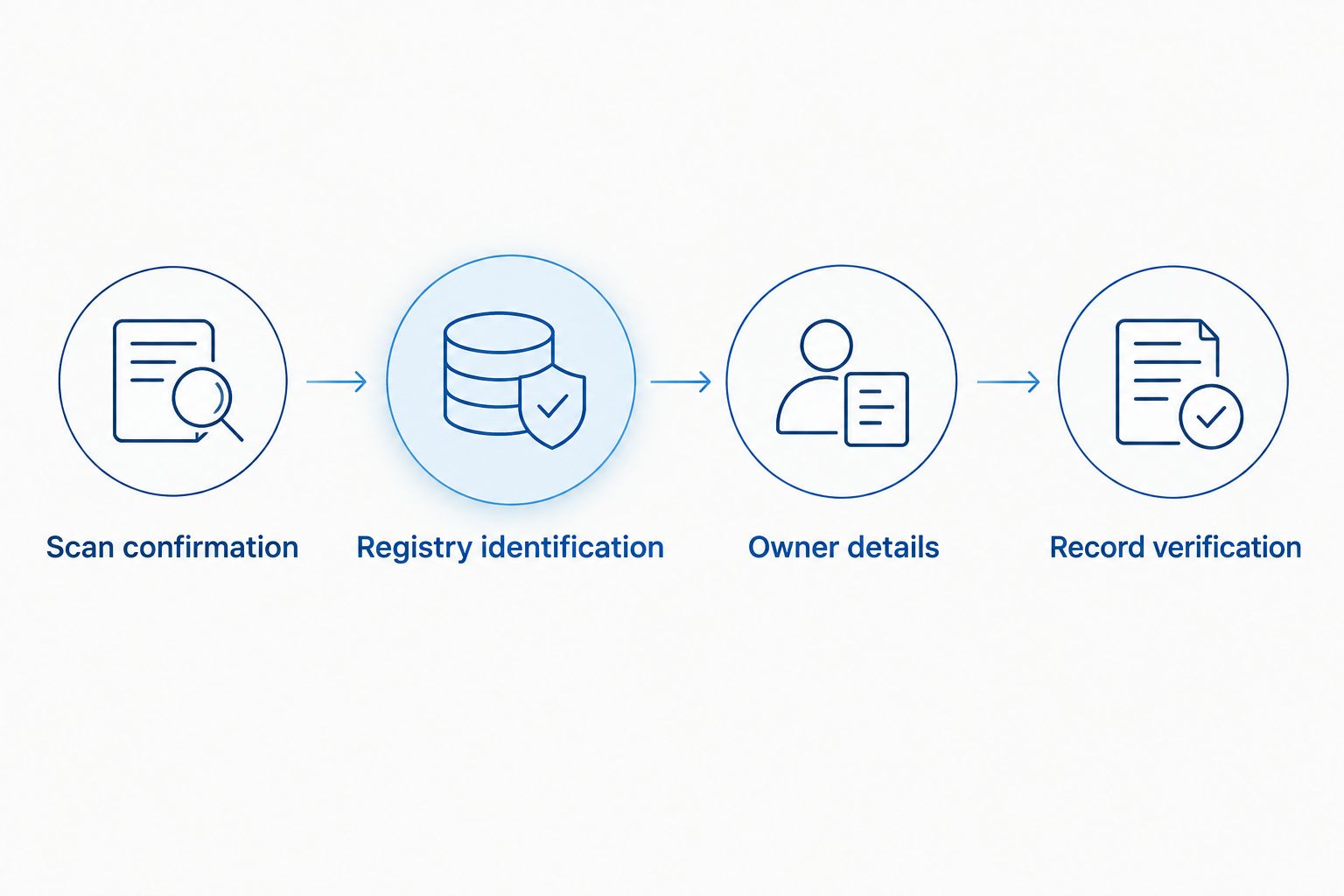
Use these four checkpoints when reviewing the process: Scan confirmation, Registry identification, Owner details, and Record verification. A completed form is only one part of the chain; the final check catches mistakes that typing the number correctly cannot.
Update the record whenever your contact details change
The adjacent workflow is maintenance, not a new enrollment. When you move, change phone numbers, or hand ownership to another person, return to the registry holding the record.
- Open the existing puppy profile and update the changed contact details.
- Review the alternate contact instead of assuming that person’s details stayed current.
- Save the changes, reopen the profile, and verify the saved information.
- If ownership changes, use the registry’s transfer procedure rather than sharing your account password.
Expected result: The same chip continues to point to the right household without an unnecessary new record.
Set 1 annual reminder to review the account, and update it immediately after a contact change. An annual check is a household routine, not a reason to leave an old number in place until the reminder arrives.
For a puppy enrolled in 2026, name the reminder something recognizable, such as a microchip contact review. Keep it separate from vaccination reminders: a veterinary appointment does not automatically update a third-party recovery database.
Troubleshooting
The registry says the chip belongs to someone else
Ask the breeder, rescue, or previous owner to initiate the registry’s ownership transfer. Follow the registry’s documentation process if that person cannot be reached. Do not treat a duplicate enrollment as proof that the original record has changed.
The lookup cannot find the number
Recheck the scan result character by character, then contact the implanting clinic or chip manufacturer. AAHA’s lookup searches participating registry information; no result is not a diagnosis of chip failure. Ask the registry directly whether it holds a record.
The website rejects the chip number
Compare the entered identifier with the scan record and follow the form’s formatting instructions. Do not add zeros, remove digits, or replace the number with an AKC identifier. Contact support if the form does not accept the verified format.
You created an account, but no puppy appears
Check whether you completed the pet-enrollment step after opening the account. Look for an unfinished submission or verification request, then contact support before starting over. Give support the verified chip number, not your password.
The scanner does not detect a chip
Ask a veterinarian or shelter to repeat a thorough scan with appropriate equipment. Chip location and scanner compatibility can affect detection. Do not arrange another implantation until the veterinarian has investigated the existing chip and paperwork.
Customize your workflow
Make recovery paperwork part of your puppy’s handover folder. Keep the scan result, registry confirmation, veterinary contact, and ownership documents together, while storing account credentials securely elsewhere.
For a multi-dog household, give each dog a separate record and compare each identifier individually. Similar names and shared birth dates make copying the wrong number easy. One puppy’s successful enrollment does not verify another puppy’s record.
We love the excitement of bringing a bulldog home! For Shrinkabulls bulldog families, a calm paperwork check belongs beside the everyday preparations, not underneath them. Ask whoever handles household records to show another trusted adult where the registry information is stored.
Pair the chip with a readable identification tag. A tag lets a finder contact you without a scanner; its limitation is that it can separate from the dog. A chip provides implanted identification, but its recovery value depends on scanning and useful registration details. Neither is a GPS tracker.
For your 2026 handover checklist, make the final task specific: reopen the saved record and read the contact details aloud. That is a better completion test than remembering that somebody submitted a form.
FAQ
How do I connect my puppy’s microchip to a recovery database?
Confirm the chip number with a scan, identify any existing registry, and complete enrollment or ownership transfer. Reopen the saved record to verify the number and your contact details.
Does getting a puppy microchipped automatically register me as the owner?
No. Implantation and recovery registration are separate steps, even when a clinic helps with both. Confirm the completed owner record with the registry.
Can I register a microchip that is already in my breeder’s name?
Use the existing registry’s ownership-transfer process. The registry determines what authorization or documents are required; creating another record does not update the breeder’s record.
Is AAHA’s Animal Microchip Lookup a pet registry?
No. AAHA’s Animal Microchip Lookup helps identify participating registries associated with a chip number. Contact the identified registry to enroll, transfer, or update an owner record.
Does AKC registration include microchip recovery enrollment?
AKC pedigree registration alone does not confirm that a microchip recovery record is complete. Check the recovery registry separately, even when the chip number appears on other paperwork.
Can a microchip show my puppy’s live location?
No. A standard implanted pet microchip provides an identification number when scanned; it does not transmit a GPS location. Recovery depends on someone finding and scanning the puppy.
How often should I update my puppy’s microchip information?
Update the registry whenever your contact details or the dog’s ownership change. Add an annual account review as a backup, and check any alternate contact at the same time.
One last thing
Test the contact route, not just the paperwork. Ask your alternate contact whether they would answer an unfamiliar call about your puppy, and check that your own voicemail accepts messages. A correct phone number is useful only when someone can reach you through it.
A microchip does not know that your family moved or changed numbers. Keeping that connection current is the small, repeatable job that makes the registration useful.
Related guides
- Microchip and ID tag options for a new bulldog puppy
- How to plan pickup day for a new bulldog puppy
- How to verify AKC registration papers on a bulldog puppy
